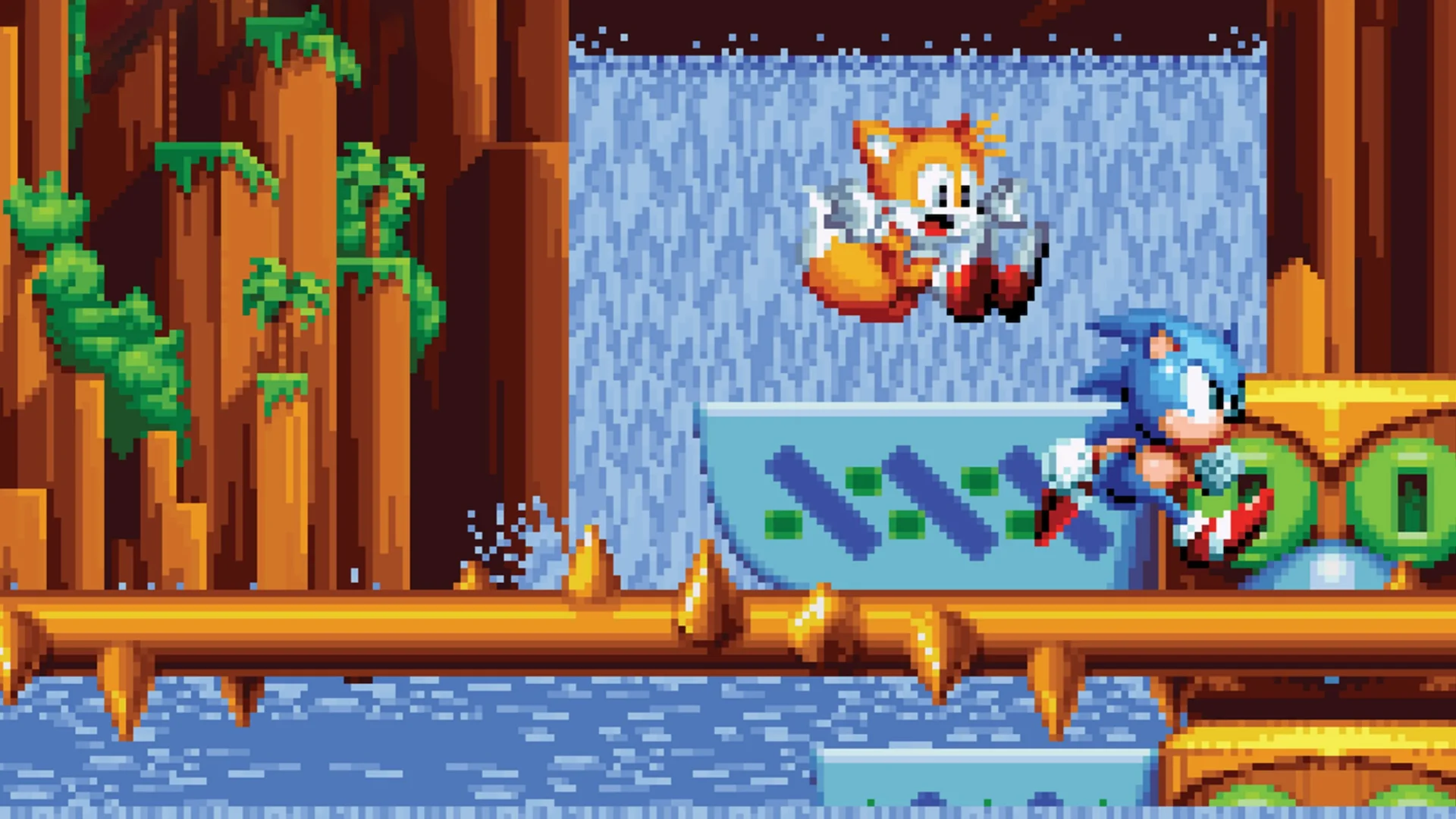
If you grew up with a Sega Genesis controller glued to your hands, you already know the vibe. The pixel art, the chemical plant music, the feeling of barely-controlled chaos as you blast through a loop-de-loop. Sonic Mania Plus wasn't just a game when it launched; it was a love letter. But for a long time, if you wanted that specific brand of nostalgia on your phone, you were basically out of luck unless you wanted to deal with sketchy emulators or "lite" versions.
That changed when Netflix decided to shove their way into the gaming world.
Now, Sonic Mania Plus Netflix is a real thing. It’s the full, uncompromised version of the game sitting right inside your streaming app. No ads. No "pay $1.99 for more lives" nonsense. Just the blue blur. But getting it running—and understanding why this version matters—is a bit more nuanced than just hitting "play" on a movie.
The Weird Reality of Netflix Games
Netflix isn't just for Stranger Things marathons anymore. Honestly, their gaming library has become weirdly elite. They’ve got Hades, they’ve got GTA, and now they have the definitive version of the best Sonic game in twenty years.
You don't play it "inside" the Netflix video player. That’s a common mistake. Basically, you use the Netflix app as a storefront. You find the game in the "Games" row, tap it, and it kicks you over to the Apple App Store or Google Play Store to download a standalone app.
The catch? You need an active Netflix subscription to log in. If you cancel your sub, the game stops working. It’s a bit of a bummer if you like "owning" your digital stuff, but if you’re already paying for Netflix, it’s essentially a free $19.99 game.
What Makes the "Plus" Version Different?
If you played the original Sonic Mania back in 2017, you might wonder if this mobile port is worth the storage space. It is. This is the "Plus" edition, which was originally a paid DLC/physical re-release.
Here is what’s actually in the box:
- Mighty and Ray: You get two "new" characters who are actually deep-cut references to the 1993 arcade game SegaSonic the Hedgehog. Mighty the Armadillo is basically a tank—he can survive spikes and ground-pound. Ray the Flying Squirrel has a gliding mechanic that feels like a more technical version of Knuckles.
- Encore Mode: This is the big one. It’s not just a "Hard Mode." It remakes the levels with different color palettes and changes the way you play. Instead of lives, you have a "stable" of characters. If Sonic dies, he’s gone until you find a swap monitor, and you immediately switch to whoever is next in line.
- Four-Player Competition: Though playing four-player on a phone screen is a recipe for an immediate headache, the mode is there.
Performance: Does it Actually Play Well?
Gaming on a touchscreen usually sucks. Let's be real. Precision platformers like Sonic require frame-perfect jumps, and tapping a glass screen isn't exactly the "Sega Saturn" experience.
The Netflix version has surprisingly decent on-screen controls, but if you're serious, you’ve gotta use a controller. The app supports Backbone, Razer Kishi, and even standard Xbox or PlayStation controllers via Bluetooth. Once you pair a controller, the on-screen buttons vanish, and it feels exactly like the console version.
One thing people keep asking about is the "Debug Mode." Yes, it's still there. If you're on the title screen and tap the Sega logo in a specific way (specifically tapping the "C" in the copyright info until you hear a ring chime), you can unlock the level select. It's a fun way to skip the zones you hate—looking at you, Oil Ocean.
Why This Version is Better Than the Old Mobile Ports
Before this, the only way to play "classic" Sonic on mobile was through the Sonic 1, 2, and CD ports. While those are great, they are riddled with ads unless you pay to remove them. Sonic Mania Plus Netflix has zero monetization. No banners, no pop-ups, no data tracking for advertisers.
It also runs at a locked 60 frames per second. On a modern iPhone or high-end Android, the pixel art looks incredibly sharp. The game was actually ported by Lab42 and Sumo Digital, so it’s not some cheap emulation; it’s a native build.
How to Get Started Right Now
Don't go searching the App Store directly—sometimes the "Netflix" versions are buried under the generic versions.
- Open your Netflix app on your phone or tablet.
- Scroll down to the Mobile Games row (it’s usually a few rows down from your "Continue Watching").
- Tap on Sonic Mania Plus.
- Hit Get Game. This will redirect you to your device's store.
- Download it, open it, and sign in with your Netflix profile.
Note: This won't work on "Kids" profiles. If you’ve set up a restricted profile for your younger siblings or children, the game won't even show up. You’ll need to use a standard adult profile to authenticate the app.
Actionable Next Steps
If you want the best experience, toggle the "Filter" settings in the options menu. The game defaults to a clean pixel look, but if you want that authentic 90s CRT feel, you can turn on the scanline filters. Also, check your storage; the game takes up about 300MB, which is light, but the save data syncs to the Netflix cloud, so make sure you're signed in before you put ten hours into Encore Mode.