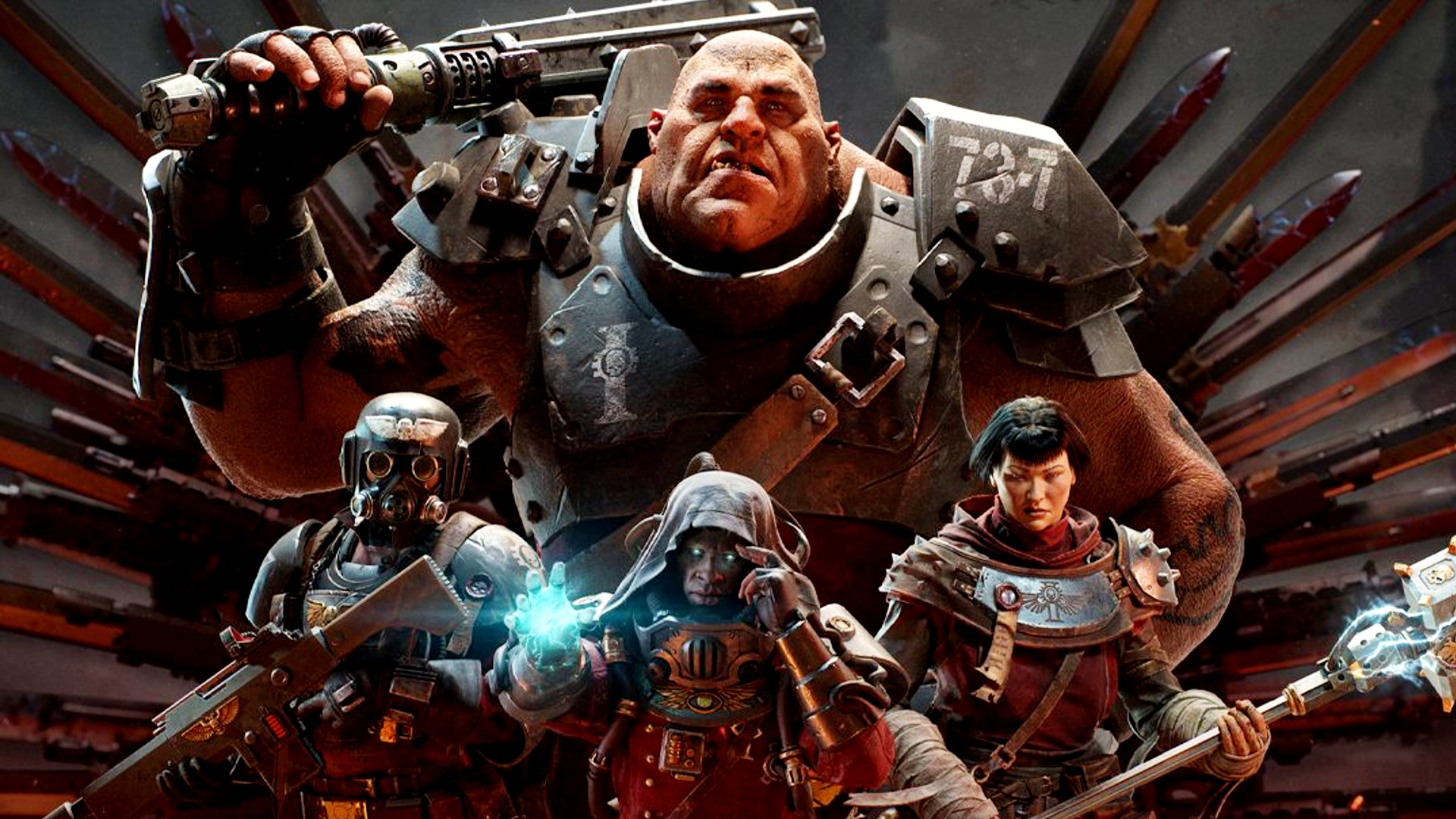
You're standing in a derelict hab-block on Atoma Prime. Hordes of Poxwalkers are screaming, your Bolter is running dry, and the Zealot next to you is screaming something about the God-Empire while swinging a giant chainsword. It’s chaotic. It’s beautiful. But honestly, the best part of the whole mess isn't even the gore—it's the fact that the person playing that Zealot might be on a high-end PC while you’re lounging on your couch with an Xbox Series X.
Warhammer 40k Darktide crossplay wasn't always a thing. It’s easy to forget that now. When Fatshark first dropped this "tide" sequel, the community was fractured. If you bought it on Steam, you were essentially in a different universe than your friends on the Microsoft Store. It was a mess. A total headache.
Thankfully, those days are over.
The Current State of Play: Who Can Play With Whom?
Right now, crossplay in Darktide is fully functional across all current platforms. This means if you are on Steam, the Xbox App for PC, or an Xbox Series X|S console, you can all jump into the same strike team. It’s seamless. You don’t have to jump through a dozen hoops or sacrifice a goat to the Golden Throne to make it work.
When you load into the Mourningstar—that’s the hub ship where everyone hangs out—you’ll see players from every corner of the ecosystem. You can tell who is on what platform by the little icons next to their names in the social menu. A little globe usually means they’re on a different platform than you. It’s simple.
Fatshark finally delivered on the promise of a unified player base. This was huge for the game's longevity. Before this, the matchmaking pools were split, and if you were playing at 3:00 AM on a Tuesday, finding a full squad for a Damnation-level run was... well, it was rough. Now? The queue times are significantly shorter because everyone is thrown into one giant meat grinder together.
The Steam vs. Game Pass Divide is Gone
For the longest time, the biggest gripe was the "Game Pass wall." Microsoft and Fatshark had some technical hurdles to clear. If you had the game through PC Game Pass, you couldn't play with your buddies who bought it on Steam. It felt like 2005 all over again.
But that’s ancient history.
Now, the Warhammer 40k Darktide crossplay system treats the Xbox ecosystem and Steam as one big happy family. Mostly. There are still some quirks with how updates roll out, though. Occasionally, a hotfix might hit Steam an hour or two before it hits Xbox, which can briefly break the ability to play together until everyone is on the same version. It’s rare, but it happens. Keep your auto-updates on. Seriously.
Setting Up Your Strike Team Without Losing Your Mind
You’d think inviting a friend from a different platform would be a nightmare. It’s actually okay, though it’s not quite as "one-click" as staying within the same platform.
To join up with someone on a different system, you’ll need to use the in-game social menu. You can search for players using their specific Fatshark ID. This is a unique string of numbers and letters assigned to your account.
- Open the Social menu (default 'P' on keyboard).
- Look for your Fatshark ID at the bottom of the screen.
- Give that ID to your friend.
- They search for you, send an invite, and boom—you’re ready to purge heretics.
It’s worth noting that voice chat works across platforms too. You don't need to use Discord, though most hardcore players still do. The in-game VOIP is decent enough, but let’s be real: Discord is just better for coordinating those high-intensity runs where one wrong move means a total party wipe.
What About Cross-Save and Cross-Progression?
Here is the "kinda" bad news. While Warhammer 40k Darktide crossplay is a total win, cross-progression is a bit more of a "maybe, sometimes."
If you are playing on the Xbox Series X and decide to switch to playing on your PC via the Xbox App (Game Pass), your progress carries over. Your characters, your gear, your excruciatingly earned Ordo Docats—all of it moves with you. This is because you’re staying within the Microsoft ecosystem.
However, if you want to move from Xbox to Steam? You’re starting over.
Yeah, it sucks. I know.
Fatshark hasn't implemented a true "Fatshark Account" system that bridges the gap between Valve and Microsoft yet. If you’ve put 300 hours into an Ogryn on Steam and your friends all just got the game on Xbox and you want to switch to your console... well, get ready to level up a new "Big Man." It’s a bummer, but that’s the reality of the licensing and cloud save architecture right now.
Performance Gaps: Does Crossplay Make the Game Harder?
There’s always this debate in co-op shooters. "Oh, the console players can’t aim as well," or "The PC players have an unfair advantage with their frame rates."
In Darktide, it doesn't really matter that much.
This isn't a twitchy PvP shooter like Call of Duty. It’s a PVE (Player vs. Environment) slaughterfest. Sure, a PC player with a mouse might have an easier time clicking on the heads of Snipers or Trappers from across the map. But a skilled Xbox player with a controller and a high-mobility Zealot build can hold their own just fine.
One thing to watch out for, though, is performance.
Darktide is a beast of a game. It’s heavy on the CPU because of the sheer number of enemies and the complex lighting. If you’re a PC player and you’re wondering why your Xbox buddy is lagging out during a massive horde, it’s usually because the console is sweating. The Series S, in particular, can struggle a bit when things get really intense.
- PC Players: You get the fancy Ray Tracing and uncapped frames.
- Xbox Series X: Solid 60 FPS in Performance Mode, usually.
- Xbox Series S: It tries its best, bless its heart.
If you’re the host of a private session, the game’s stability can sometimes be affected by the platform, though since Darktide uses dedicated servers, the "host" isn't doing the heavy lifting like in the old Vermintide days. That’s a huge relief.
Common Myths and Mistakes
People get confused about this stuff all the time. I've seen countless forum posts asking why they can't find their friends. Usually, it's one of three things.
First, check your settings. There is actually a toggle in the options menu to enable or disable crossplay. If you accidentally turned it off, you'll only match with people on your specific platform. Make sure it's set to "On." Why anyone would turn it off is beyond me—you're just making your queue times longer—but the option is there.
Second, the "Version Mismatch." I mentioned this earlier. Because of how Microsoft certifies patches, the Xbox version sometimes lags behind the Steam version by a few hours or a day. If your friend’s game updated and yours didn't, you won't be able to play together until you're both on the same build number.
Third, the "Friends List" ghosting. Sometimes your Steam friends won't show up in the "Online" section of the Darktide social menu even if they are in the game. Using the Fatshark ID is the only foolproof way to find them. Don't rely on the platform-level friends list; it’s finicky.
Why This Matters for the Future of Atoma
Darktide had a rocky launch. We all know it. But the introduction of Warhammer 40k Darktide crossplay was a turning point. It signaled that the devs were committed to keeping the community together rather than letting it fragment and die off in silos.
The game is at its best when the Mourningstar is full of life. Seeing a mix of players—some with the fancy "Imperial Edition" cosmetics and some who just downloaded it on Game Pass—makes the world feel more populated. It keeps the "Quickplay" button actually quick.
As Fatshark continues to roll out updates like the "Path of Redemption" or the new subclasses, having a unified player base means everyone experiences the meta shifts at the same time. You don't have a "PC Meta" and a "Console Meta." You just have the game.
Summary of Actionable Steps for Players
If you're looking to get the most out of the crossplay experience, here's what you actually need to do:
- Locate your Fatshark ID immediately. Copy it down or take a screenshot. It’s the only way to reliably add friends from other platforms.
- Toggle Crossplay ON. Go into your settings and make sure you haven't accidentally locked yourself out of the wider player pool.
- Mind the Version. If you can't join a friend, check for a pending update on your console or PC client.
- Stick to Xbox for Cross-Progression. If you plan on bouncing between a desktop and a console, stay within the Microsoft ecosystem (Xbox App on PC and Xbox Series X|S) to keep your character progress.
- Use the In-Game Social Tab. Avoid the Steam overlay or Xbox "People" tab for invites. The in-game menu is much more reliable for cross-platform groups.
The war for Atoma Prime is better when you’re not fighting it alone. Whether your teammate is clicking a mouse or pulling a trigger, the heretics die all the same. Get out there, find your ID, and start filling up those strike teams. The Emperor expects nothing less.